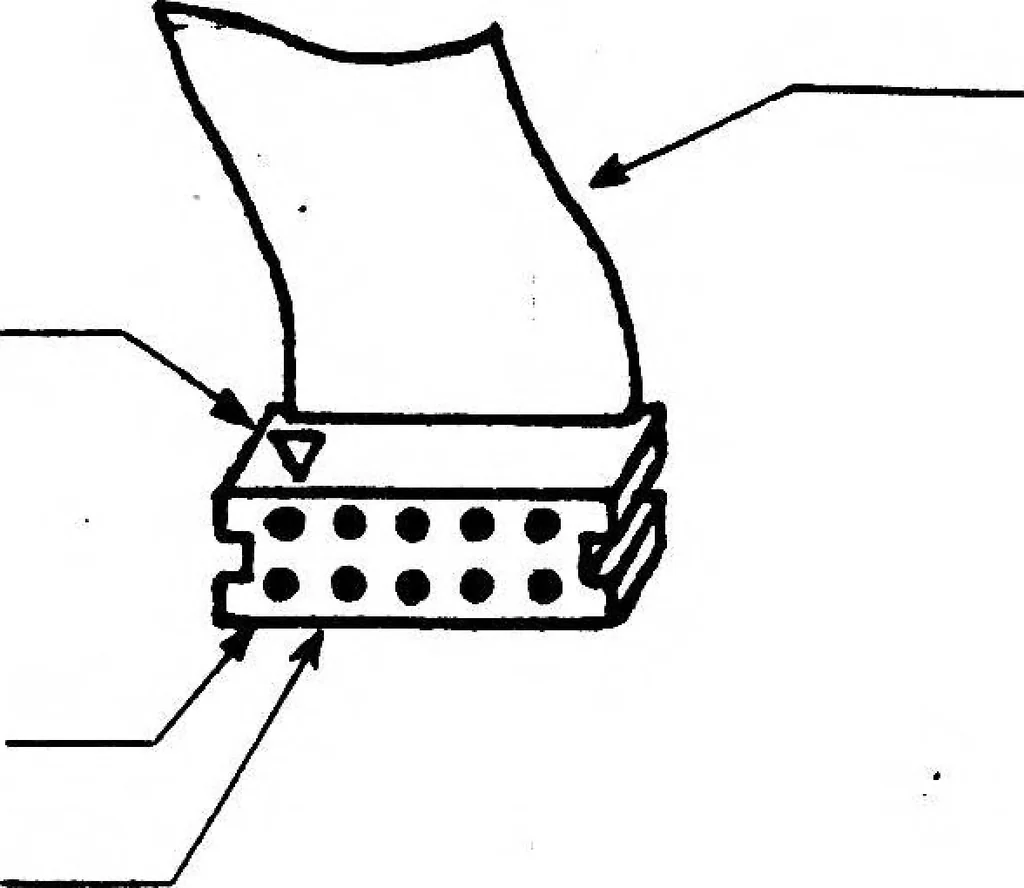
should be made to properly install cables in the proper locationsand direction. See note below for details. 7) Adjust the routing of all cables to avoid interference with enclosure. 8) Replace rear covers using the four retaining screws. Plug in keyboardand power cord. The Terminal now is ready to… … Cable IMPORTANT NOTE: The following guidelines should be used to ensure that you haveinstalled the cables in the proper location in the proper direction. There are two ten-wire flat cables (CPU Serial Data11 cable, andnCRT Serial Data cable) which are identical in appearance. These cableshave been…
Esc · Graphics · Mode · Selanar · Cursor · Character · Terminal · Screen · Characters · Printer · Selanar graphics · Graphics mode · Character set · Cross hair · Printer option · Light pen · Hair cursor · Simulated local · Local mode · Graphics board
Internet Archive · Public Domain Mark 1.0. Free to use for anything.
![An illustration from Royal Air Force. Technical Notes. Aeroplanes M-Z. Rigging Notes [1918, Great Britain] (1918)](https://img.insideoutlibrary.com/img/200/ia-raf-riggingnotes1918-341-0.webp)